
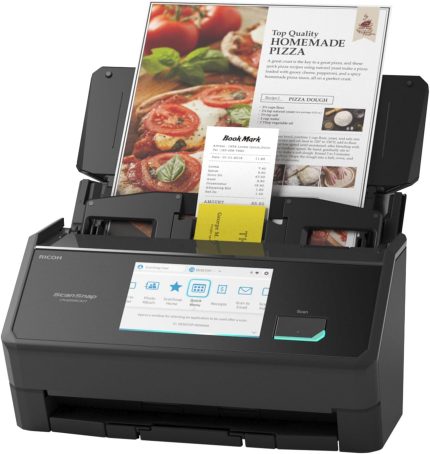
Epson Workforce ES-400 II Color Duplex Desktop Document Scanner for PC and Mac, with Auto Document Feeder (ADF) and Image Adjustment Tools, ES-400 II
Original price was: $379.99.$299.99Current price is: $299.99.
Epson Workforce ES-400 II Color Duplex Desktop Document Scanner for PC and Mac, with Auto Document Feeder (ADF) and Image Adjustment Tools, ES-400 II
Reviewed by: Michael R. | Country: United States
Rating: ⭐⭐⭐⭐⭐ (5/5)
Overview
The Epson Workforce ES-400 II is a compact, high-performance duplex document scanner designed for offices, professionals, and home users who need fast and accurate digital document management. With its robust ADF (Auto Document Feeder), intelligent image correction features, and compatibility with both Windows and macOS, it continues Epson’s tradition of making reliable business scanners that are efficient, affordable, and easy to use.
⚙️ Key Features & Specifications
-
Scanning Speed: Up to 35 pages per minute (ppm) or 70 images per minute (ipm) duplex
-
Auto Document Feeder (ADF): 50-sheet capacity for hands-free batch scanning
-
Connectivity: USB 3.0 high-speed connection
-
Supported Media: Documents, receipts, business cards, ID cards, and more
-
Resolution: Up to 1200 dpi (interpolated)
-
Daily Duty Cycle: Up to 4,000 pages per day
-
Compatibility: Works seamlessly with PC & Mac, and supports TWAIN/ISIS drivers
-
Software Suite: Epson ScanSmart, OCR (Optical Character Recognition), and image correction tools
-
Dimensions: 6.6″ x 11.6″ x 6.9″ – compact enough for desks and home offices

Performance and Speed
The ES-400 II shines in speed and accuracy. Whether scanning a single-page document or a 50-page legal report, it quickly processes files without jamming or skewing. Duplex scanning (both sides at once) runs smoothly, producing crisp digital copies in seconds. Epson’s dual-sensor system captures each side of a document in one pass, cutting scanning time in half compared to simplex models.
For mixed document sizes (receipts, letters, invoices), the automatic size detection and straightening features ensure every file looks neat and aligned — with no extra cropping needed.
Image & Color Quality
Epson includes advanced image processing tools like:
-
Auto Crop and De-skew
-
Blank Page Removal
-
Color Restoration
-
Background Removal
-
Dynamic Thresholding (to enhance faint text or light documents)
Scanned files look vibrant and readable, whether you’re archiving color brochures or scanning grayscale contracts. Text recognition (OCR) is particularly accurate, creating searchable PDFs that make document management a breeze.
Software and Ease of Use
The Epson ScanSmart Software is intuitive — ideal for both beginners and office users. It lets you:
-
Preview, rotate, crop, and reorder pages before saving
-
Scan directly to PDF, JPG, TIFF, or Word/Excel formats
-
Upload to cloud storage like Google Drive, Dropbox, or OneDrive
-
Use automatic file naming and sorting for easy organization
Setup is fast — just connect via USB, install Epson ScanSmart, and you’re ready to go. Both Mac and Windows versions are stable and well-optimized.

Noise and Build Quality
Despite its speed, the ES-400 II runs quietly — suitable for office environments. Build quality is sturdy, with a solid paper path and durable rollers designed for heavy daily use. The compact form factor means it fits neatly beside a monitor or laptop without cluttering the workspace.
✅ Pros
| Strength | Description |
|---|---|
| Fast duplex scanning | 35 ppm / 70 ipm is excellent for this price class |
| 50-sheet ADF | Great for multi-page scanning sessions |
| Excellent OCR & image correction | Produces clean, searchable PDFs |
| SmartScan software | Simple, powerful, and cloud-ready |
| Plug-and-play USB setup | Easy to install and start scanning |
| Compact & sturdy | Professional design and reliable build quality |
⚠️ Cons
| Limitation | Description |
|---|---|
| ❌ No Wi-Fi connectivity | USB only — lacks wireless scanning |
| ❌ No flatbed option | Can’t scan bound books or thick items |
| ❌ Occasional double-feed | Very thin paper may trigger the sensor (solved by cleaning rollers) |
| ❌ Slightly louder at high speeds | Normal for scanners in this range |
Best For
-
Home offices digitizing bills, receipts, or tax documents
-
Small businesses managing contracts and invoices
-
Accountants, teachers, and lawyers who handle paper daily
-
Anyone needing fast, searchable, professional-quality PDFs without expensive software

Final Verdict
The Epson Workforce ES-400 II is one of the best desktop duplex scanners in its class. It combines speed, clarity, and simplicity into a compact, affordable package. Whether you’re archiving documents, organizing paperwork, or going paperless, it gets the job done efficiently and reliably.
If Wi-Fi connectivity isn’t essential, this model is a top-tier choice for any small office or home setup.
⭐ Final Rating: 5 / 5
Verdict: “Fast, reliable, and professional — the Epson ES-400 II is a workhorse for anyone going paperless.”
Reviewed by: Michael R. — United States